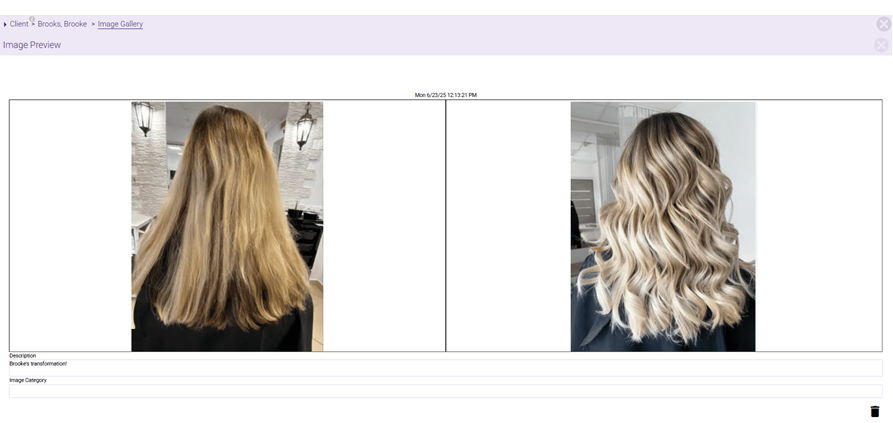
Client Image Gallery: Before / After Images
The Client Image Gallery "Before / After" feature allows you to visually document and showcase client transformations by pairing images directly within the client profile.
Whether you operate a spa, medspa, salon, or school, capturing before and after images allows you to:
- Showcase visible results for use in marketing or promotions.
- Help clients see their progress from visit to visit...progress they might not notice on their own.
- Protect against disputes with time-stamped visual documentation of treatment outcomes.
To add "Before / After" images
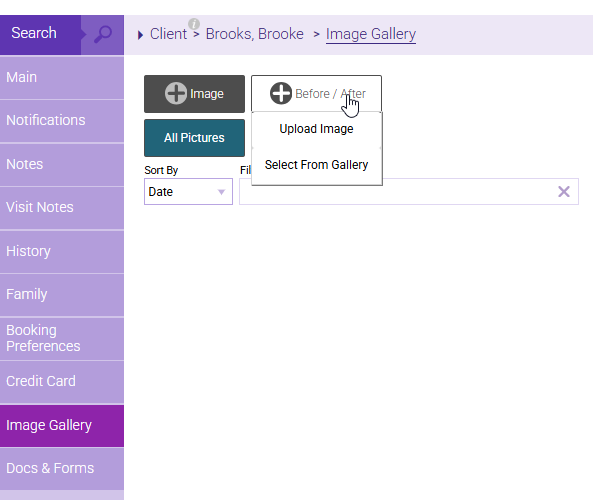
- Navigate to the Image Gallery tab of the desired client's profile. From the +Before / After drop-down, choose to upload a new image or select an existing one from the gallery. This gives you the flexibility to pair images taken at different times, so before and after photos don't need to be captured on the same day.
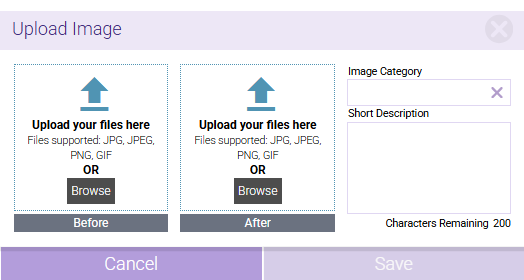
- In the Upload Image modal, choose your images and add a brief description for context.
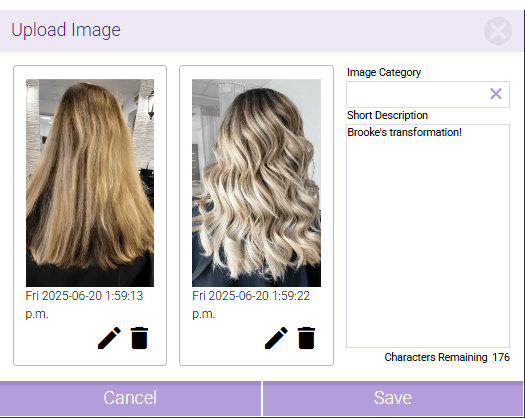
- After saving, a time-stamped before and after thumbnail appears in the gallery.
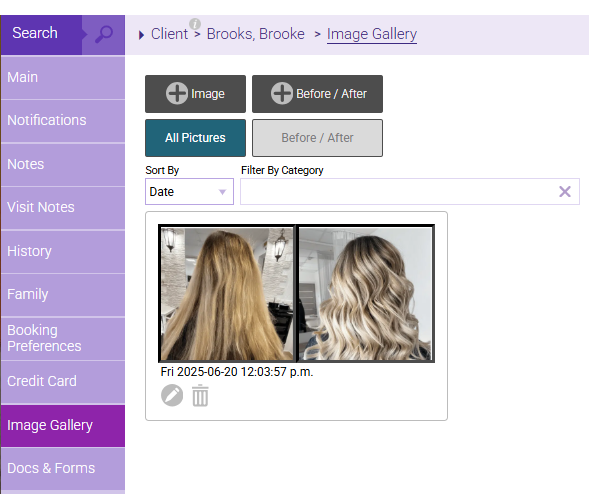
- To view a full-screen image preview, simply click the thumbnail. This view is ideal for sharing progress with clients, such as on a tablet running Meevo during consultations or follow-up visits.