Deleting Data from a Previous QuickBooks Online Sync
When you delete data from the Sync tab, you are deleting the data in QuickBooks Online that Meevo sent over as a result of a sync. As a best practice, you must also go into QuickBooks Online and delete any deposit transactions that may have occurred within the date range specified in Meevo. Failure to do so will likely result in record links being broken and duplicate deposits the next time you sync Meevo to QuickBooks Online.
- In the QuickBooks Online Integration screen in Meevo, select the Sync tab.
- Delete Sync: Enter the From and To dates. Remember, after deletion in Meevo, you must also go into QuickBooks Online and delete all deposit data associated with the date range specified here.
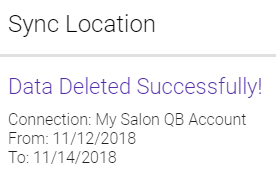
- When ready, select Delete. Select Yes on the confirmation message. After a few moments, you receive a successful message.
- Select Finish.