SalonConnect: Appointments
Appointments booked through the SalonConnect app appear immediately in the Meevo Appointment Book.
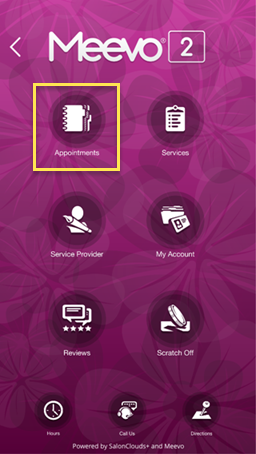
- The client can select Appointments to book an appointment. Note that the client must be logged in to do this.
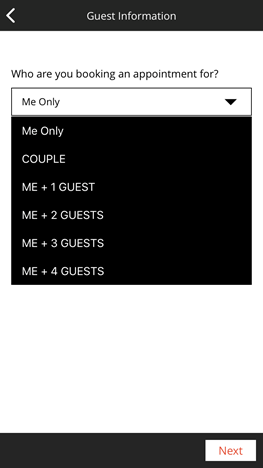
- On the Guest Information screen, the client can choose who they are booking an appointment with. If the client has Family Members set up in Meevo, they will appear in this list as well.
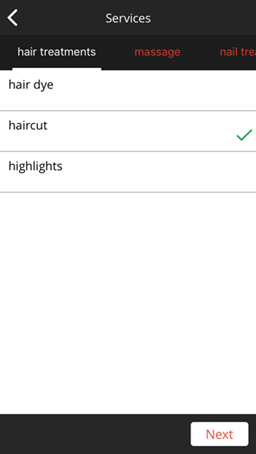
- On the Services screen, the client can scroll categories across the top and select the services in the main pain. Below, haircut is selected.
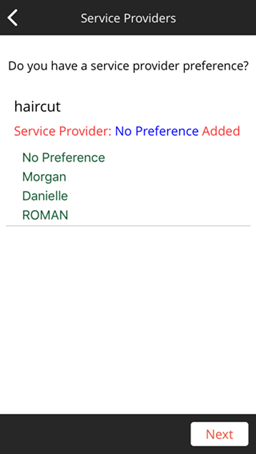
- After selecting Next, the client is brought to the Service Provider screen. The client can choose No Preference or select a specific provider.
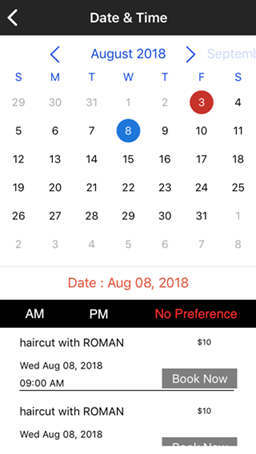
- After selecting Next, the client is brought to the Date & Time screen. Here, the client selects a day in the calendar and then reviews the available openings in the bottom pane. Meevo uses its Scan for Opening engine to locate these appointments. If employee-specific pricing has been set up in Meevo, this screen reflects those prices. Otherwise, the app displays the default service prices.
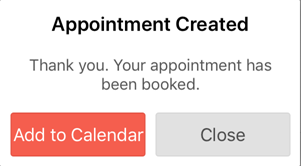
- After selecting Book Now, the following message is displayed to the client. The client can select Add to Calendar to add this appointment to their device's default calendar, or Close to return to the app's main screen.
- The appointment appears in the Meevo Appointment Book immediately.