Viewing Alerts and Using Alerts Log
To view alerts
- Open the Alerts Log:
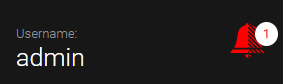
- Select the username in the top-right corner of Meevo, and then select the highlighted bell.
- Enter alertlog into the Convobar, or go to Meevo > Management > Alerts Log.
- Use the filters on the top of the form to refine your search. Leave a filter blank to show all results for that particular filter.
- Select a date range from the pre-defined ranges in the drop-down, or use the calendars to define a custom date range.
- Alert Category: Filters alerts by the selected category.
- Employee/User: Filters alerts by the employee or user receiving the alerts.
- The log automatically updates in real time as you apply filters. Select an alert to view details regarding that alert.