Using Sentiment Analysis
Sentiment Analysis helps you understand how customers feel about your brand by analyzing the reviews they leave. It uses natural language processing (NLP) to identify important keywords in the text and assigns a positive or negative score based on the words used to describe those keywords.
A keyword is the main subject being discussed in a review, typically a noun like “service” or “doctor.” A modifier is the word that describes the keyword, usually an adjective or adverb such as “friendly,” “helpful,” or “rude.” Together, the keyword and modifier provide meaningful insights into the customer's experience.
Without modifiers, it's hard to understand the sentiment behind a keyword. But when paired, they offer clear signals. For example, phrases like “friendly waiter” or “broken ATM” clearly convey whether the experience was positive or negative. This pairing is what allows Sentiment Analysis to turn raw review data into actionable insights.
How can Sentiment Analysis help me?
Sentiment Analysis helps you uncover the most frequently mentioned keywords in customer reviews, along with the emotions (positive, neutral, or negative) associated with them, without having to read each review manually.
Customer feedback is more than just a star rating. A 3-star review alone doesn’t tell you what went right or wrong. However, the written content of the review can reveal valuable insights. For example, a review that says, “The food was good, but the service was bad,” gives a mixed message that a star rating alone can’t fully explain.
While there’s often a correlation between sentiment and average star rating, sentiment analysis provides a deeper, more accurate picture of how customers feel about specific aspects of your business. It can isolate comments about food, service, or pricing, and determine how each one is perceived, empowering you to take targeted action based on real customer feedback.
Creating a collection for review sentiment analysis
Collections are a powerful way to organize and analyze groups of reviews. You can create a Collection to track sentiment for related keywords. For example, a medspa might create a Collection for “injectables” and include keywords like lip filler, wrinkle relaxer, and dermal fillers. This lets you see the total number of mentions, the average star rating, and the overall sentiment score for that group of keywords.
- In Online Presence Management, select the Sentiment Analysis tab.
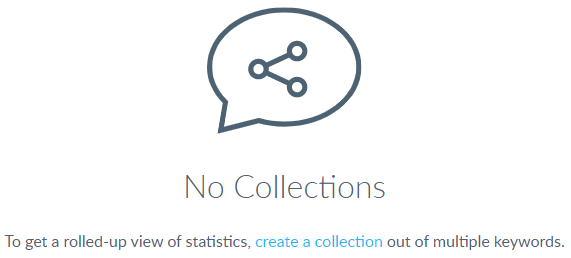
- Select Create a collection. If you haven't created one yet, the link will be in the top pane, below No Collections (shown below). If you've already created a collection, Create Collection will be a button in the top-right of the page.
- The Create Collection pop-up window appears.
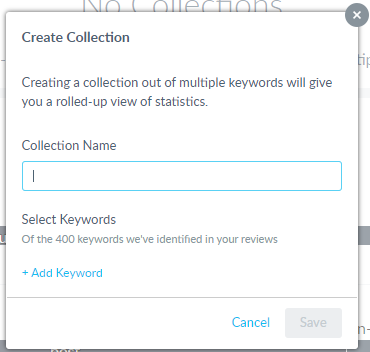
- Enter a Collection Name.
- Select +Add Keyword to see a list of keywords that Online Presence Management has generated based on existing reviews. You can also search by keyword using the text box.
- Once you've finished adding your keywords, select Save.
Understanding Sentiment by Keyword
Sentiment by Keyword is the best way to view and analyze individual keywords. Keywords (primarily nouns) are the words that are identified as subjects being described in the review content. These Keywords can be sorted alphabetically or based upon mention count, sentiment score, and average rating.
Note: Keywords are automatically added based upon review analysis. You cannot add or customize the keywords, you can only view keywords that have already been identified in your existing reviews.
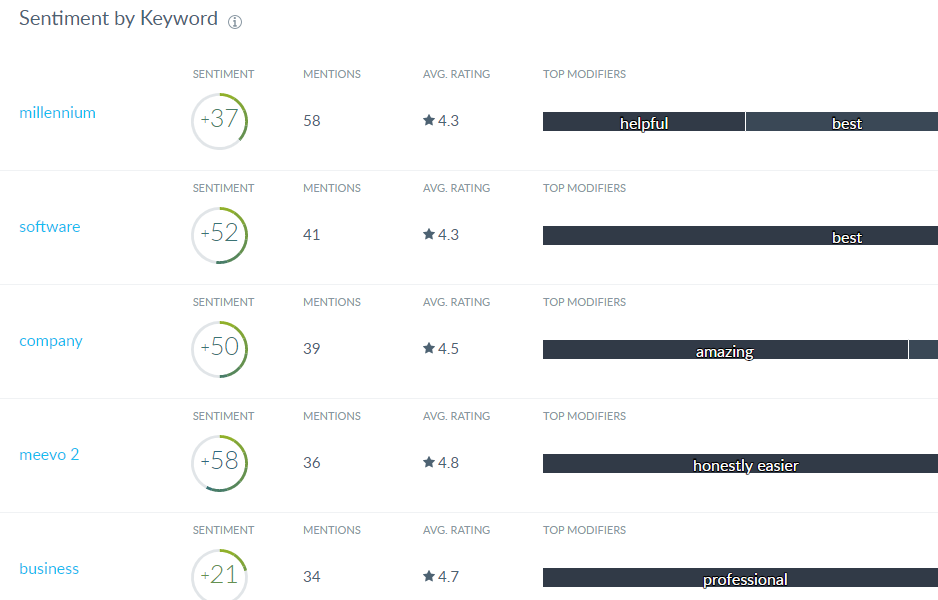
- Sentiment score: This is the positive or negative rating associated with a keyword. The score can be anywhere from -100 to +100.
Note: The majority of keywords have a sentiment score between -10 and +10. That means that any keywords below -10 or above +10 are extremely negative or positive, respectively.
- Mentions: This is the number of times a keyword appears in your reviews. The most frequently appearing keywords are often the most interesting keywords to consider, as these are the items that your customers are most frequently commenting on and therefore may inform larger business decisions.
- Average Rating: Of all reviews that contain a given keyword, this is the average rating of those reviews. While there is a correlation between sentiment and average rating, sentiment is often the better measurement of a consumer’s reaction to a keyword. Consider a 3 star review: “the facility was clean, but the service was bad.” The star rating on its own will not help a business understand the nuances of the review, but sentiment analysis will parse out the sentiment of these attributes.
- Top Modifiers: These are words that are most frequently used to describe keywords. Select a modifier to preview recent reviews that include the keyword and modifier pairing. The highlighted keyword/modifier link at the top left of the preview will take you to a pre-filtered list of all mentions of that keyword and modifier.